


Manage invoices
List and search invoices
Display the invoices of a group, find any invoice and consult a member's history
All invoices can be consulted in Invoices → Manage invoices. There you can browse an invoice group, search across all groups at once or, from a member's record, see all their invoices.
Display the invoices of a group
In the left side menu, open Invoices then Manage invoices. Choose the group in the list Invoice group: type a few letters to find it faster. The most recent groups are at the top of the list.
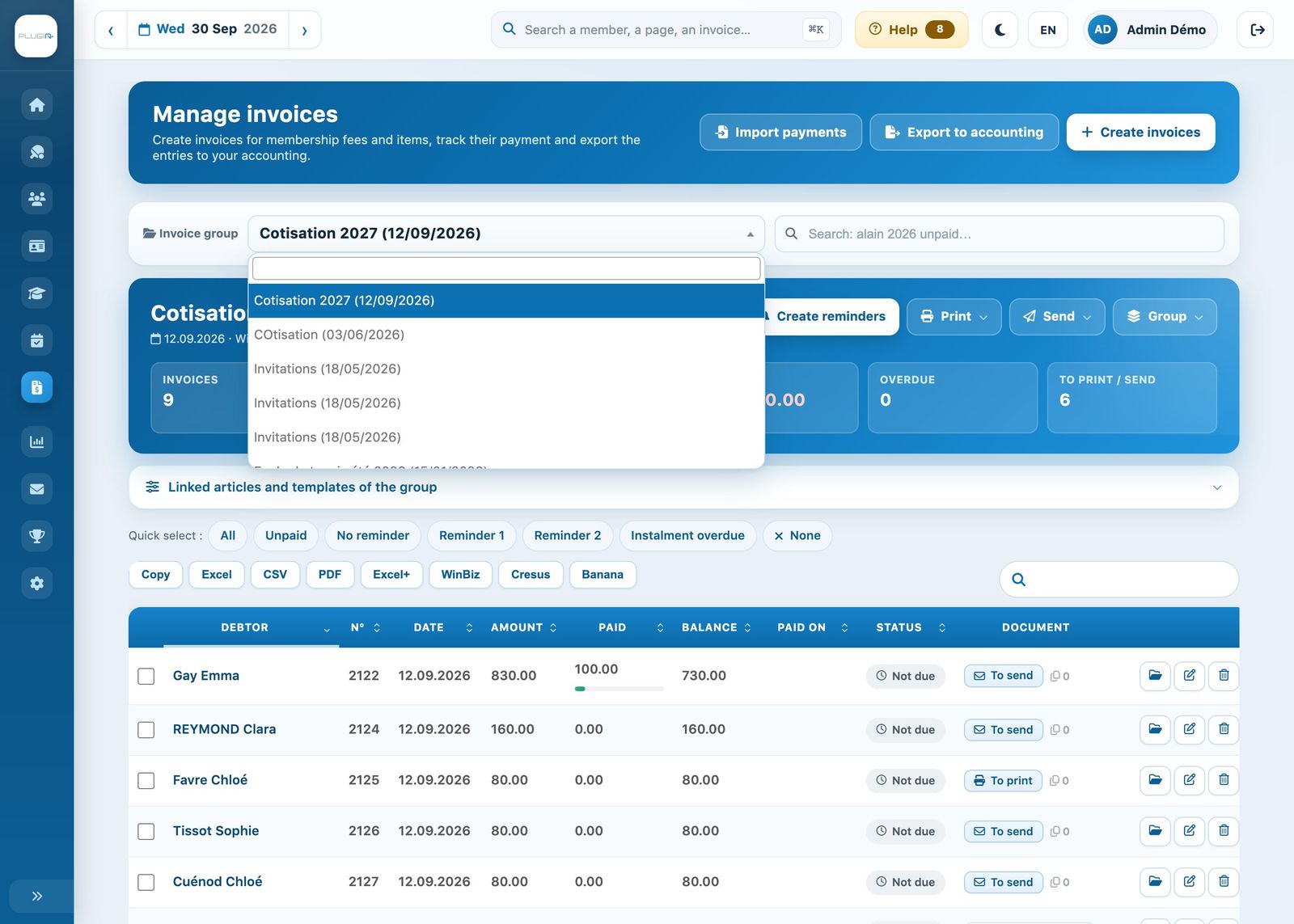
Choosing the invoice group
The group is displayed with its key figures (invoices, amount invoiced, received, open, overdue, to print or to send), followed by the list of its invoices: debtor, number, date, amount, paid, balance, payment date, tracking and document. Click a column heading to sort the list; the search field above the table filters the group's invoices.
Below the list, the Invoice summary totals each invoiced line (membership fees, items, partial payments): quantities and amounts paid, unpaid and in total.
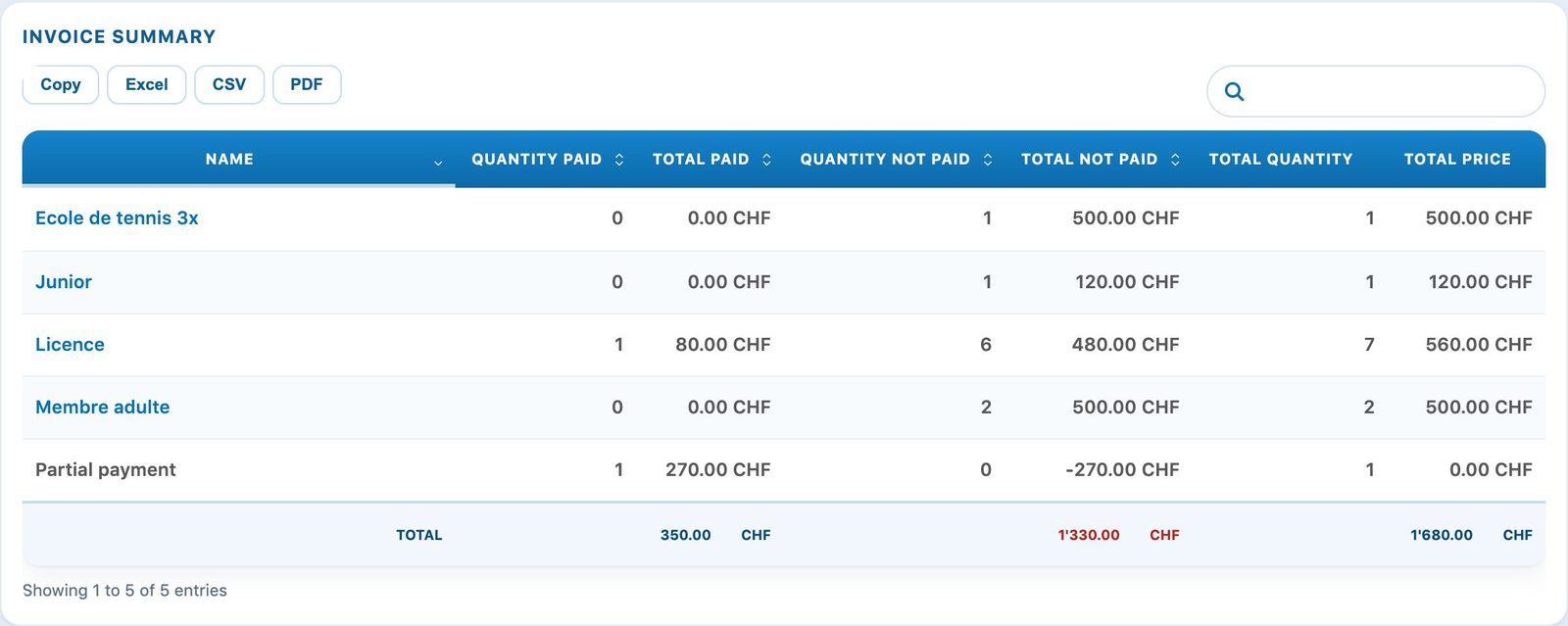
The summary of an invoice group
Export the list
The buttons above the table export the displayed list: Copy (clipboard), Excel, CSV, PDF and Excel+. If your club exports to accounting software, the buttons WinBiz, Cresus and Banana are also offered. The files are saved in your Downloads folder.
Search for an invoice across all groups
The search field next to the group selection searches all invoice groups at once. Each word is a criterion and all must match:
- a debtor or group name (for example “smith” or “membership”);
- a year (2026), a month (08.2026) or a date;
- an invoice or person number, an amount (100.00) or an e-mail address;
- a status: paid, unpaid or deleted;
- a payment reference (QR or RF), entered on its own.
For example, “2026 unpaid” shows all 2026 invoices that are still open. The banner Search in all groups shows the number of invoices found and, as chips, how each word was understood; click a chip to remove that criterion.
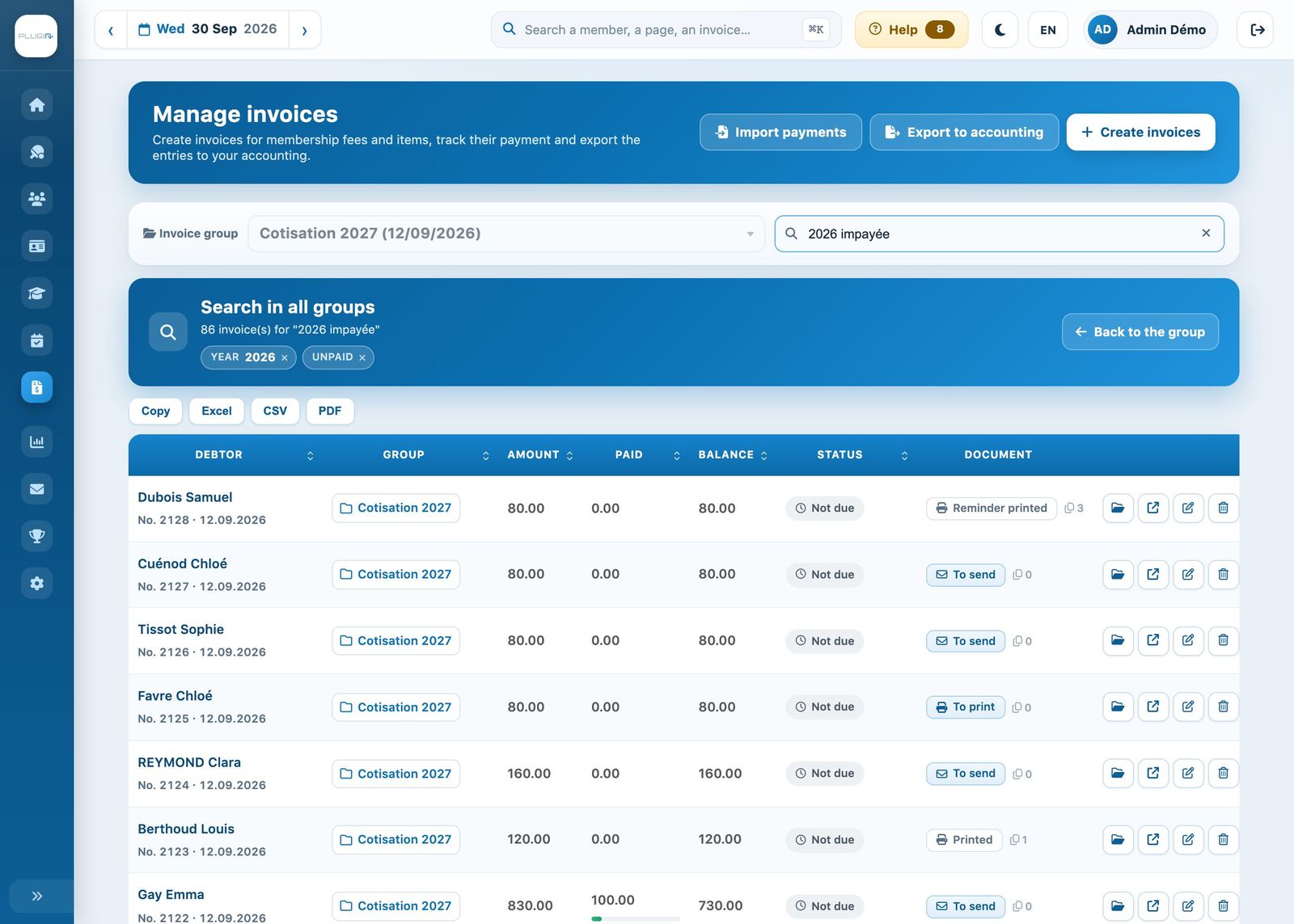
Results of the search “2026 unpaid”
Each result shows its group: click the group name (or the button Open the group) to display it. Back to the group or the Esc key closes the search.
Tip: the general search field at the top of each page (“Search for a member, a page, an invoice…”) also finds an invoice by its number or the debtor's name.
Track unpaid invoices
For a view of all open invoices, across all groups, with their actual due date and reminders, open Invoices → Open invoices & reminders. See Manage payment reminders.
View a member's invoices
Open the member's record (Members → Manage members, click on their name) and choose the tab Invoice record. There you will find all their invoices with their balance, tracking, sending and reading dates, and the buttons to open the file or edit the invoice.
Plugin.ch Tutorial — Manage invoices