


Community and Défi-Plugin
Défi-Plugin: I played without creating the match, how do I enter the score?
In the Défi-Plugin, a match is always linked to a court reservation made on Plugin.ch. If you played without creating the match first, no problem: you can create it afterwards and enter the score.
1. Open the matches page
Left menu → Community → Défi-Plugin, then click the Match button at the top of the ranking.

The Match button at the top of the ranking
2. Find your reservation
- Choose the sport and the format: Single (2 players) or Double (4 players).
- Click Load reservations.
- The list shows your reservations from the last 3 months. On the one for the match you played, click Create match.
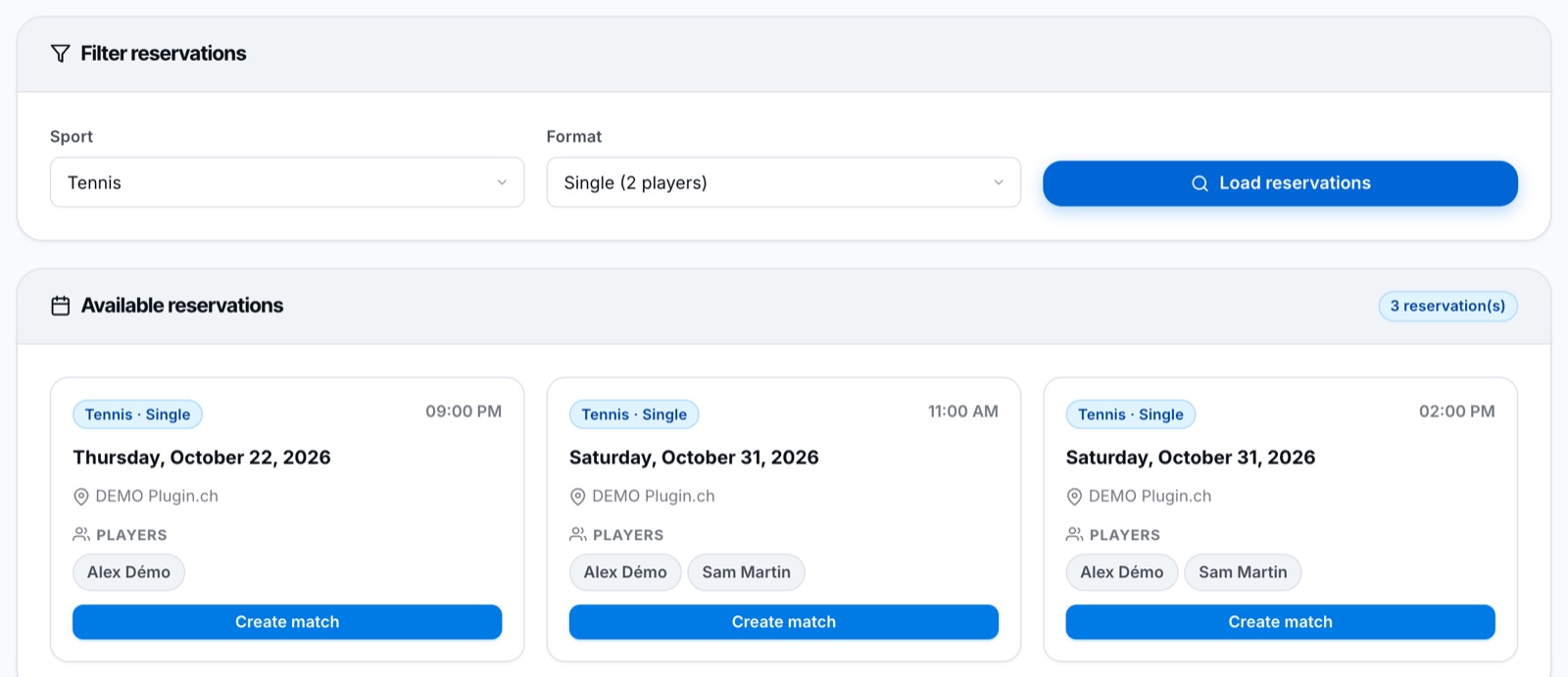
Your recent reservations, ready to become matches
3. Form the teams and enter the score
- In singles, the two players are placed automatically. In doubles, drag the players to split them between the two teams.
- Enter the score set by set.
- Click Enter score.
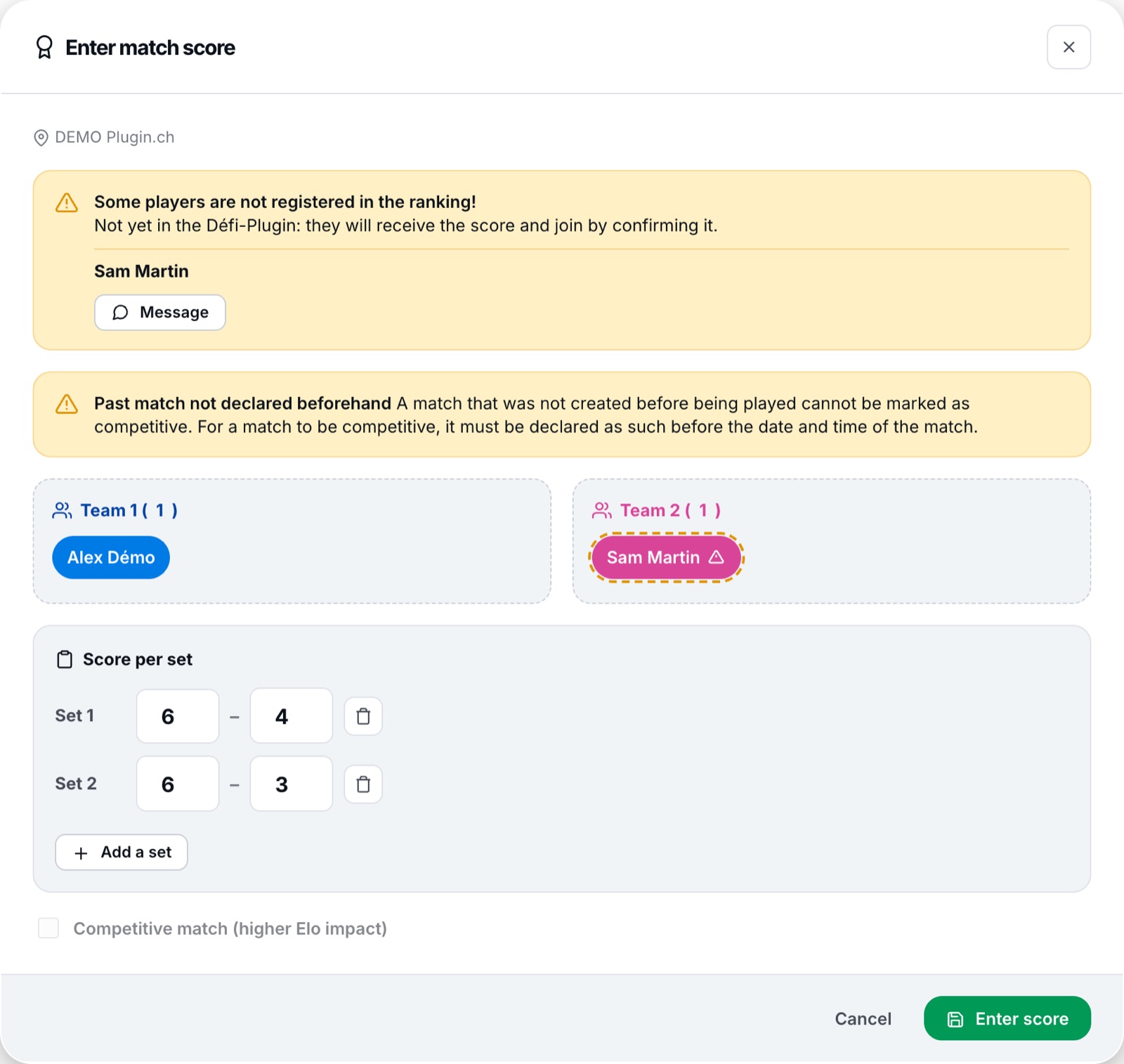
Entering the score of a match already played
Your opponent receives the score: they have 7 days to validate or dispute it. Without an answer, the score is validated automatically and the ranking is updated.
A match created after it was played counts as a friendly match: it moves the ranking, but less than a competitive match. To play a competitive match, create it before playing (on the day of the reservation or earlier).
My reservation does not appear
- Check the sport and format you chose (single or double).
- Both players must be on the reservation. If your opponent is not on it, they cannot be added to the match.
- Only reservations from the last 3 months are offered.
- Your opponent is not yet registered for the Défi-Plugin? You can still enter the score: they will confirm it when they register.
Plugin.ch Tutorial — Community and Défi-Plugin